Posted on 5 Comments

Building an iPad Version of Your WordPress Website

Do you have an iPad? If so, you’ve probably tried one of my favorite apps — Flipboard. Flipboard gives your iPad a magazine-like interface to Twitter, Facebook, Google Reader and other news streams.

Whether you have an iPad or not, now you can give your WordPress-powered website the same cool Flipboard experience on the iPad. It’s super easy and with the new Onswipe plug-in, it’s free. Here’s how it’s done.

If your site is hosted on WordPress.com, the plugin is automatically available for you. If your WordPress site is self-hosted (i.e. WordPress.org) then you’ll first need to install the free Onswipe plugin.

Onswipe gives your website a magazine-like feel

Installing and Configuring Onswipe

  1. From the admin console, go to Plugins > Add New and search for Onswipe.
  2. Install and activate the plugin.
  3. Set the permissions of the thumbs cache folder (WP-Contents/uploads/thumbs-cache) to 777.  This allows Onswipe to cache generated thumbnails to make the iPad version of the site load faster for subsequent requests.

Once you’ve installed Onswipe, you can find the configuration options in the Appearance panel.

The Cover logo does double-duty as the home screen icon and should be 200×200 pixels transparent PNG.

The launch screen image only shows up if someone adds a link to your site on their iPad home screen, then launches the site from their home screen. But it’s a nice touch. Make it exactly 768×1004 pixels.

You can also tweak the display font and skin color. Note that while these fonts are available on the iPad, they may or not be available on your computer. If the fonts are installed on your computer, you’ll see the sample text reflect the correct font selection.

Onswipe will automatically detect iPad browsers and display the new swipe-able interface. You can toggle this on and off as needed.

Before and After Onswipe

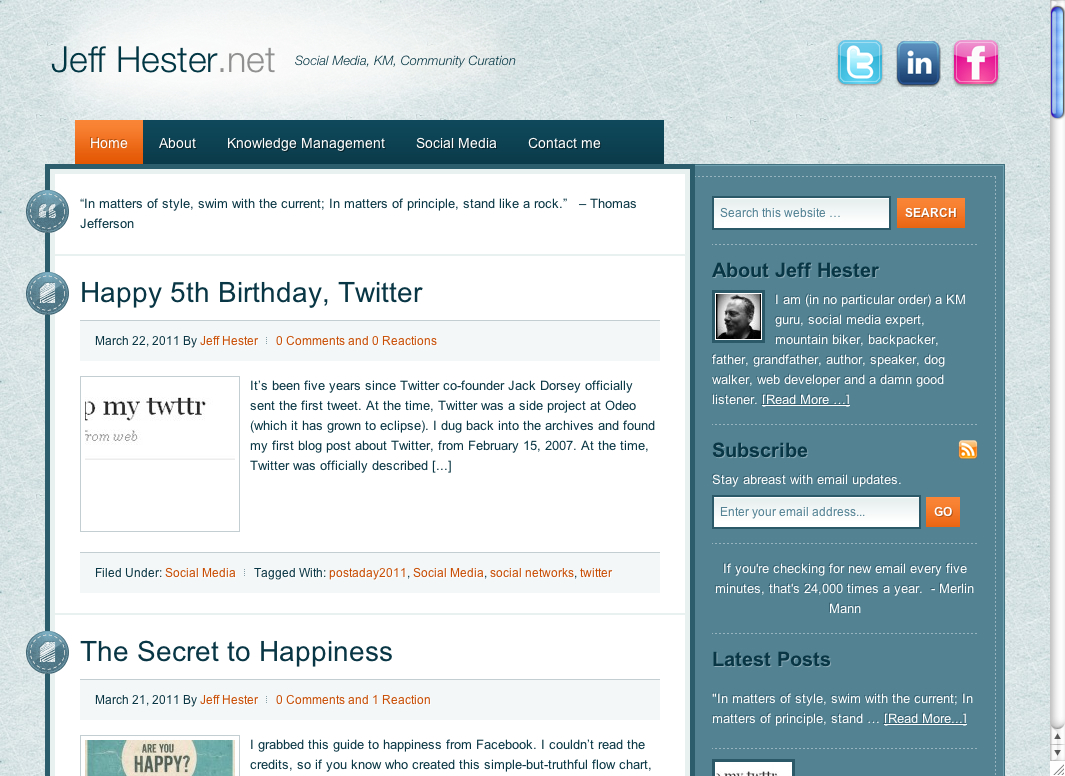
Here’s what Jeff Hester.net looks like on an iPad before:

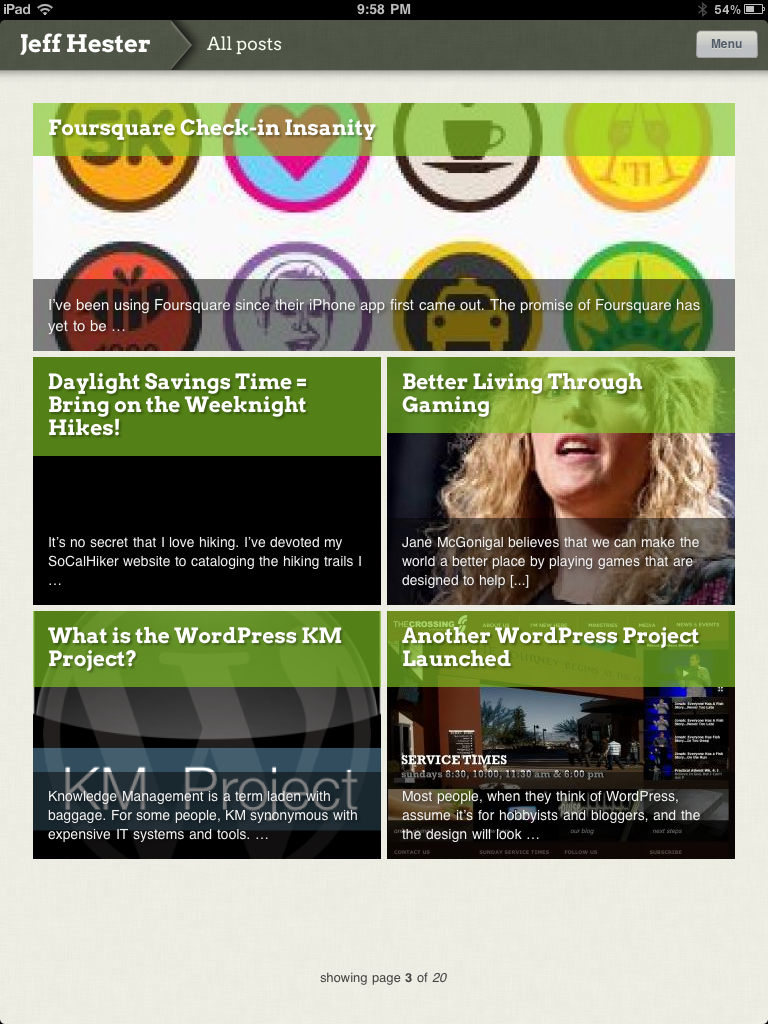
And after installing Onswipe:

A sample post viewed via Onswipe:

Onswipe Features and Gotchas

Onswipe is super easy to install and configure. Their website claims it provides “insanely easy tablet publishing” and I found that to be true. Once it’s setup, it just works. You can swipe to browse through the index, and Onswipe will detect the orientation of your iPad and automatically reformat things (portrait or landscape).

But there are a few caveats that might keep you from using Onswipe.

  • If you absolutely need access to widgets on the iPad, forget Onswipe. It provides a simplifed interface (much like an iPad app). Onswipe doesn’t support sidebars and widget areas.
  • Onswipe doesn’t support Facebook comments or other comment systems that don’t store comments in the WordPress database.
  • There is currently no way for the user to specify the “full” version of the website, if they so desire. It’s either on or off for everyone.
  • If you are signed into your WordPress admin console on your iPad (i.e. you checked “remember me”) the Onswipe interface won’t show until you sign out.
  • There is no way to browse tags; only categories are currently supported.

The Onswipe website considers this 1.0 release a “preview” and asks you to sign-up for email notification when they “officially” launch, but you don’t need to do that to download or use this plugin.

The Bottom Line

Is Onswipe worth trying? If you care about providing iPad users with a great experience, and your site primarily leverages posts vs. pages, you should definitely consider Onswipe. If you’re site is primarily page-driven (as many CMS-centric sites are) Onswipe is not for you.

At WordPress.com, they are already seeing about 750,000 daily page views from iPads, and that figure is growing. For that reason alone, Onswipe is worth a look.


Posted on 1 Comment

Vertical

This weekend I had the pleasure of meeting screenwriter and novelist Rex Pickett, perhaps best known for his novel Sideways (and the film by the same name).

I always had wondered whether the author had modeled Miles (the aspiring novelist) after himself. As it turns out, he had in many ways. What I hadn’t considered was the risk he took in doing so. By laying bare so personal a story and putting it out there for others to accept or reject, he risked the ultimate rejection. If his novel had turned out to be a failure, wouldn’t that have been the proverbial nail in the coffin for his writing career?

As it turned out, Sideways was turned into a movie and enjoyed tremendous success. It’s hard to imagine some of the casting choices the studio had originally wanted (George Clooney as out-of-work actor Jack? Sean Penn as self-deprecating Miles?). Paul Giamatti and Thomas Haden Church stepped into those roles as if they were made for them.

Pickett has published a sequel called Vertical that picks up with Miles and Jack seven years later. Miles has written a novel that was made into a wildly successful movie, and it’s changed his life (sound familiar?). Jack is divorced and is on the skids (no surprise there).

I’ve got a copy of Vertical that I’ll be reading on my flight to Abu Dhabi this week. I’m looking forward to seeing where life has taken Miles and Jack, and keeping my fingers crossed that we’ll a film adaptation in the future.

You can follow Rex Pickett on his journey at VerticalTheNovel.com.


Posted on 1 Comment

Forty-nine Years on this Big Blue Ball

Phew! Forty-nine years. It’s a lengthy stretch of time, and it’s been marked by many momentous milestones.

Although my birthday doesn’t officially arrive until Wednesday, I’m taking the day off, since my lovely girlfriend is taking me out on the town.

Take care, and be kind to each other. I’ll resume regularly scheduled programming tomorrow.

Posted on 3 Comments

Mirroring iPad 2 Video to Your TV

When I got my iPad last October, I was astounded that there was no way to mirror your display to a larger screen. This seems like a no-brainer — for training or even demo purposes, you would think that Apple would have some way to mirror the display to an external monitor or LCD screen. I researched this extensively and even talked to the geniuses at the Apple Store. Everything pointed to the same answer: it simply wasn’t possible.

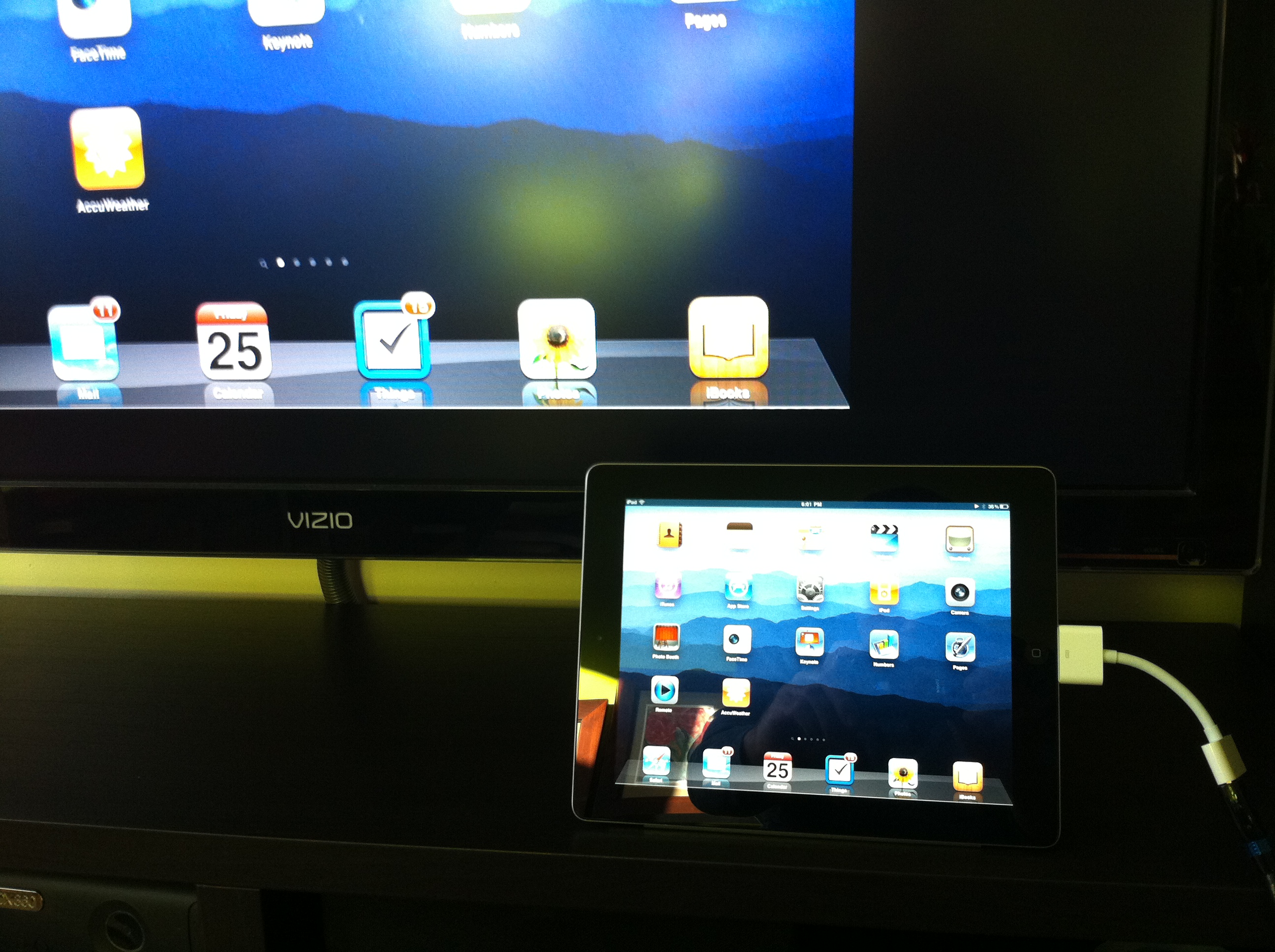
My iPad display mirrored on the Visio TV

The closest thing to it was the A/V cable, which allowed you to output some video streams to an external display. The built-in video player, the YouTube and Netflix apps all supported this feature. This was nice, but it still didn’t give you a way to mirror what you saw on your iPad — an essential capability if you want to demo an app (for example) to an audience.

Fortunately, this is one of the features the iPad 2 supports. It does require the new Apple Digital A/V Adapter ($39) and an HDMI cable. With this, I’m now able to mirror the display of my iPad to my 47″ Visio flatscreen TV and pipe everything through my Pioneer VSX-820 amp.

I’ll be using this at upcoming meetings in the very near future.

Want more? iLounge has a great, in-depth review of the new adapter.

Posted on Leave a comment

LinkedIn: You Are One in a Hundred Million

Earlier this week, LinkedIn registered their 100 millionth member. They are currently registering a new member at the rate of one per second. While the number still lags behind Facebook, it is a significant milestone and shows strong growth for the professional networking service.

I first heard about the milestone when I received (along with a million others) the following email from Reid Hoffman, co-founder and chairman of LinkedIn:

Dear Jeff,

I want to personally thank you because you were one of LinkedIn’s first million members (member number 548570 in fact!*). In any technology adoption lifecycle, there are the early adopters, those who help lead the way. That was you.

We hit a big milestone at LinkedIn this week when our 100 millionth member joined the site.

When we founded LinkedIn, our vision was to help the world’s professionals be more successful and productive. Today, with your help, LinkedIn is changing the lives of millions of members by helping them connect with others, find jobs, get insights, start a business, and much more.

We are grateful for your support and look forward to helping you accomplish much more in the years to come. I hope that you are having a great year.

Honestly, I have not been a very active LinkedIn user until recently, and I am still learning the ropes. But if you haven’t checked it out, it’s probably time for a fresh look. That’s why I’ve signed up for Neal Schaffer‘s upcoming LinkedIn Workshop on April 19th at SMMOC Labs.

Neal is an recognized LinkedIn expert and author of Understanding, Leveraging and Maximizing LinkedIn. He held a similar workshop back in the fall and got rave reviews. It’s a hands-on workshop — bring your laptop and be prepared to take specific steps that will help you get more value from LinkedIn. Join me there, and feel free to connect with me on LinkedIn.

So What Does 100 Million Members Look Like?

Here is a great infographic that illustrates what 100,000,000 members looks like.


Posted on 1 Comment

Post Formats and StudioPress Tapestry

StudioPress has released a new theme that takes advantage of WordPress 3.1 post types. They consider Tapestry a Tumblog style theme, but I see it as simply a traditional blog theme with the added plus of post types.

I’m not going to delve into what post types are right now, except to say that different kinds of posts can have different formats. A simple example is the quote post type. It doesn’t need a lot of the extra meta data that comes with a full blown post. You’ll see an example here.

I’m testing Tapestry here at www.jeffhester.net and will be experimenting with post types. Stay tuned…

Posted on Leave a comment

Happy 5th Birthday, Twitter

It’s been five years since Twitter co-founder Jack Dorsey officially sent the first tweet.

At the time, Twitter was a side project at Odeo (which it has grown to eclipse). I dug back into the archives and found my first blog post about Twitter, from February 15, 2007.

At the time, Twitter was officially described as “…a community of friends and strangers from around the world sending updates about moments in their lives.  Friends near or far can use Twitter to remain somewhat close while far away.  Curious people can make friends.  Bloggers can use it as a mini-blogging tool. Developers can use the API to make Twitter tools of their own. Possibilities are endless!”

I had been using Twitter since the fall of 2006, but actually (and unfortunately) closed my account in 2008  (losing over a thousand tweets and thousands of followers). Eight months later, I was ready to give Twitter another try. As you can see from this Birthday video, I’m not alone.

Incidentally, you can see a full list of all the people from that video with links to follow (if you’re so inclined) here.

Twitter has grown and evolved over the past five years. How long have you been using Twitter? How has it changed how you connect with your world?