Posted on 3 Comments

Mirroring iPad 2 Video to Your TV

When I got my iPad last October, I was astounded that there was no way to mirror your display to a larger screen. This seems like a no-brainer — for training or even demo purposes, you would think that Apple would have some way to mirror the display to an external monitor or LCD screen. I researched this extensively and even talked to the geniuses at the Apple Store. Everything pointed to the same answer: it simply wasn’t possible.

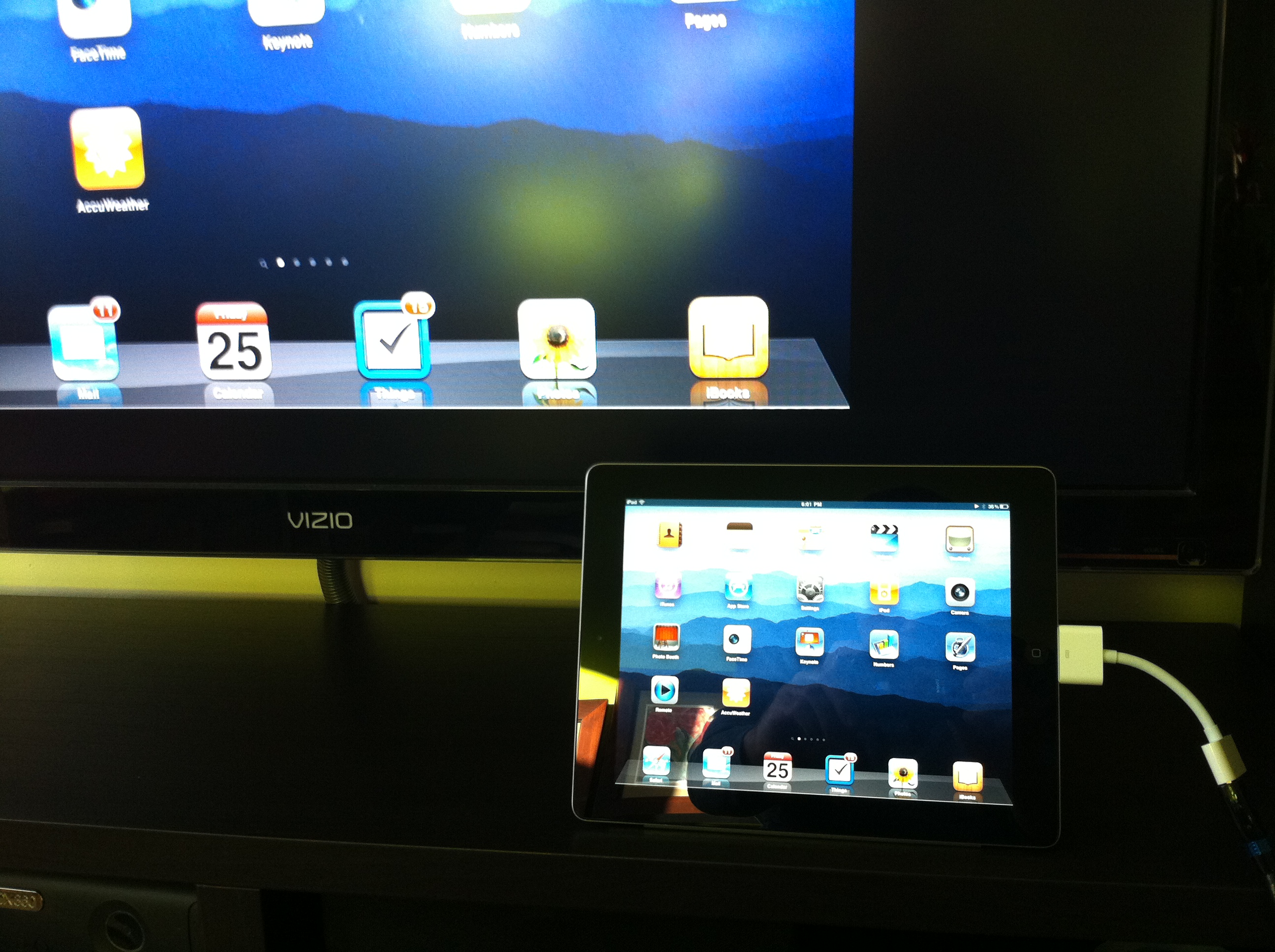
My iPad display mirrored on the Visio TV

The closest thing to it was the A/V cable, which allowed you to output some video streams to an external display. The built-in video player, the YouTube and Netflix apps all supported this feature. This was nice, but it still didn’t give you a way to mirror what you saw on your iPad — an essential capability if you want to demo an app (for example) to an audience.

Fortunately, this is one of the features the iPad 2 supports. It does require the new Apple Digital A/V Adapter ($39) and an HDMI cable. With this, I’m now able to mirror the display of my iPad to my 47″ Visio flatscreen TV and pipe everything through my Pioneer VSX-820 amp.

I’ll be using this at upcoming meetings in the very near future.

Want more? iLounge has a great, in-depth review of the new adapter.

Posted on Leave a comment

Cutting the Cable: Nine Months Later

Last year I got fed up with my cable TV bill. I was paying about $120/month for cable TV alone! I don’t watch that much TV, yet somehow I had put up with paying for two premium channels and a package that included at least a hundred channels that I would never watch.

Just about nine months ago, I decided to cut that cable. I called Cox and asked them to discontinue both my land line phone service (which I never used) and my cable TV. It was weird, but I don’t think they really believed that I was truly canceling my regular television programming. They asked if I was switching to satellite (I wasn’t). They enticed me to stay with lower monthly rates (I didn’t). The only service I kept was their broadband Internet.

It was a calculated decision. I already had Netflix, with streaming movie capabilities. I had Xbox Live and iTunes, allowing access to still more movies and shows. I have a cable from my Mac Mini to my 47″ Visio so I can play movies or shows I’ve downloaded. Most of the programming that I cared about was available at a much lower cost.

How has it worked out?

The biggest gaps in my programming are live coverage such as news and sports. Of course, the Internet is also a great source for updates on both, but certain sporting events are just more enjoyable to watch as their played. For this, I met up with friends at a local sports pub to catch a game, and relied on Internet news sites rather than cable news for the latest happenings around the globe.

I’ve also found new sources of programming. Last fall I added a wifi-enabled Samsung Bluray player that I’ve ended up using more as a streaming device than for playing discs. I use it regularly with Hulu Plus, Vudu, Netflix, Vimeo and Pandora.

Xbox Live added ESPN3 back in November 2010. So far, this hasn’t been much use to me. They don’t include any NFL games; my primary sport. But I have used it to watch tennis.

Still, there are times when I miss turning on the TV to catch the local news as I get ready to start my day. Not a big deal, but missed. For a while, ivi TV looked promising. They offered streaming of broadcast TV channels from major cities including New York and Los Angeles. Unfortunately the networks have tied them up in the courts and shut down most of the programming they once had.

For now, my experiment in cutting the cable has been a huge success. I’ve saved about $1,000 over the past nine months, even after you add in my Hulu Plus subscription. If you’re comfortable with streaming and downloading programming, you may want to consider joining the ranks of cable cutters, too.

Have you cut the cord? If so, what has your experience been? If not, what’s holding you back?

Posted on 3 Comments

Vimeo Comes to the Big Screen

Yesterday I turned on my Samsung Blueray player to tune into Pandora (which sounds amazing cranked through my A/V system). I can count on one hand the number of times I’ve used my Blueray player to watch a disc, but I’m constantly using the various web apps: Netflix, Hulu Plus, and especially Pandora.

As the machine was powering up, I was notified of a system update. I always install updates, and this was not exception. While I love the device, I’ve got to ding Samsung on how they handle these updates. The process itself is smooth and trouble-free, but there’s no information about what the update includes! After some poking around I discovered that a new app to play Vimeo videos was available.

I’ve been using Vimeo for a while now to post videos for SoCal Hiker as well as sharing how-to and usability screencasts. The Vimeo interface is much more pleasant experience than the cluttered crap on YouTube, and Vimeo allows longer videos. As a result, the quality of content on Vimeo is generally much higher than YouTube.

Even so, I’ve never really done much browsing or watching Vimeo stuff on my computer. I typically only watch something when I run across it in the search for something else, like this video tutorial on creating a tilt-shift video. But I was curious to see what this new Vimeo app would do, so I installed it and fired it up.

It’s freaking amazing. Seriously.

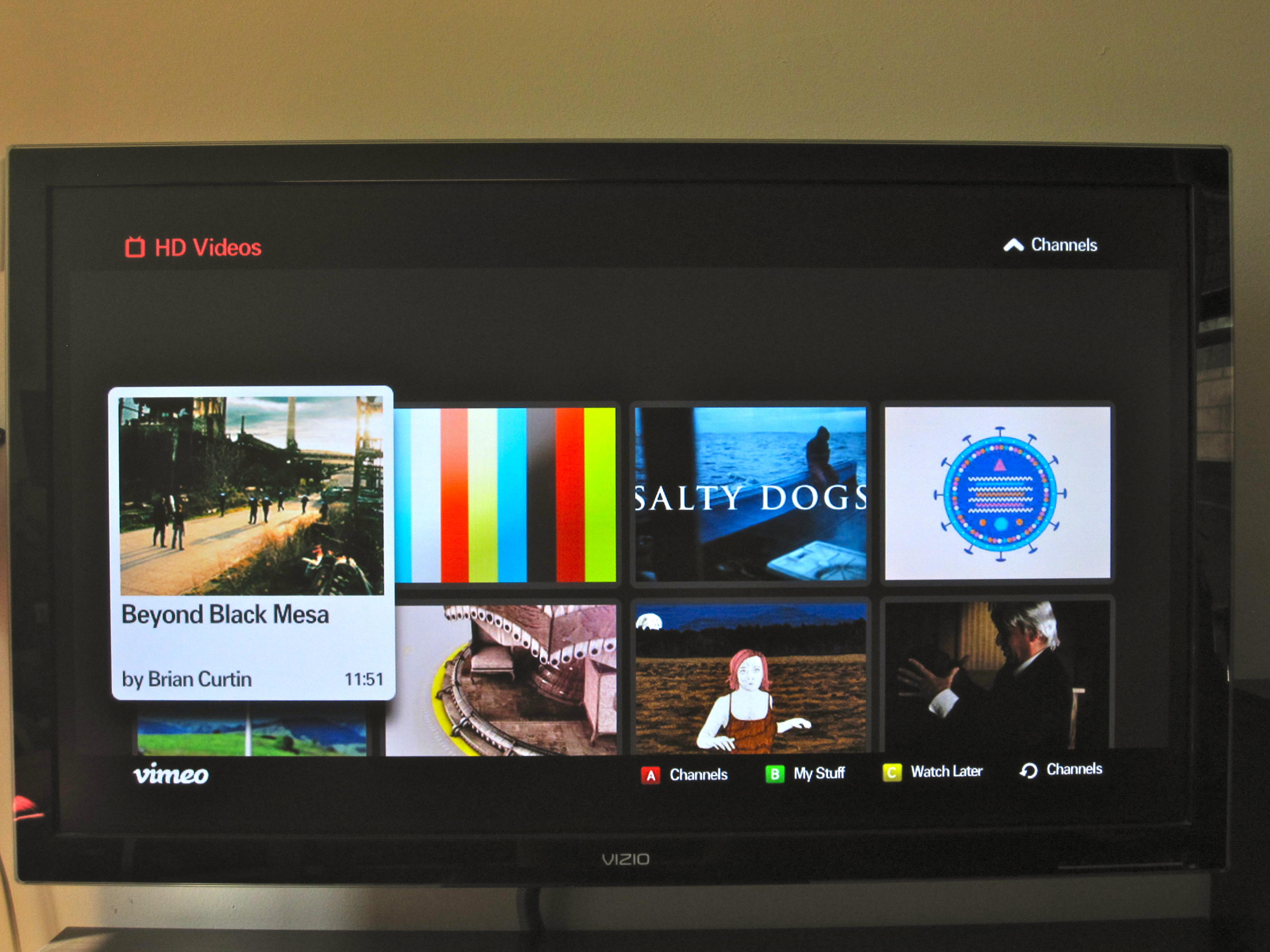
The user interface is clean, hi-def and beautiful. I checked out some of my own videos first (vanity rules), then browsed a few of the curated channels. This is where I was completely, unequivocally sold.

Here’s how it works…

First you select a channel that looks interesting. There’s a number of really nice ones, but the HD channel is a great starting point.

Once you’ve selected the channel, you’ll see a scrolling list of the videos contained in that channel. You can simply hit play or browse through and find something that piques your interest.

Since I was in discovery mode, I hit play and went back to my Saturday chores. I kept getting sucked back in. Without touching it, videos queue up and play one after another. The content ranged from a documentary from an urban adventurer illegally exploring the subway tunnels of NYC, to an innovative music video, to an artistic (and creepy) Japanese short film. It was terrific content, and I could easily see letting this just play for hours.

William Gibson said, “The future is already here – it’s just not very evenly distributed.” This is the future of television programming, and it’s here now.

You can find me here on Vimeo.