Posted on 5 Comments

The What and Why of WordCamp

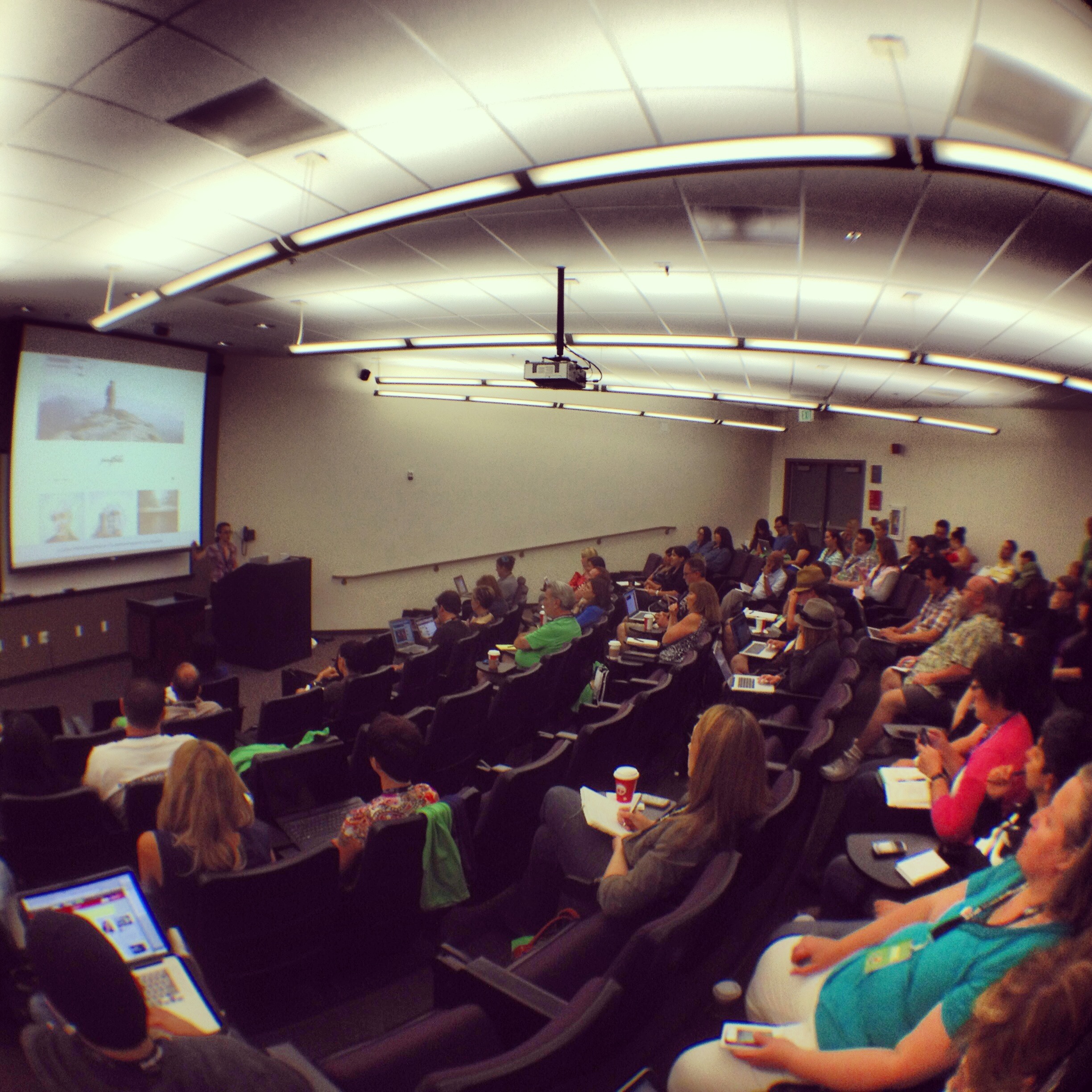
Saturday I spent the day with a couple hundred web developers, designers, publishers and blogging enthusiasts at an event called WordCamp OC. This the fourth annual WordCamp Orange County, and the eleventh WordCamp I’ve participated in.

WordPress OC

What is WordCamp?

I shared my plans for WordCamp with one of my hiking friends, Paul. He reasoned, “Oh, that’s why you’re so good at Words With Friends!” No, WordCamp isn’t about word play or word games. WordCamp is about WordPress — the open source content management system that powers about 22% of all new web sites on the Internet. As far as conferences go, these are local events organized by volunteers with the support of the WordPress community at large. Often people travel across state lines or even the country to attend. The speakers are practitioners who use WordPress, build sites using WordPress, and speak from practical experience. And unlike most professional conferences where registration often can cost hundreds or thousands of dollars, WordCamp OC was a mere $35, including two days of sessions, a t-shirt, coffee, lunch, snacks and beverages. That alone is worth much more, but the real value doesn’t show up on the conference schedule.

Why WordCamp?

wcoc2013_badge_im_heading_toThe challenge with WordCamp is serving the market. There’s a wide range of people interested in WordPress. Many are web developers, often specializing in building complex web applications using WordPress as a framework. Others are designers, trying to figure out how to create head-turning designs on a well-supported platform with a huge market. And still others own small businesses, or are aspiring entrepreneurs or bloggers looking to establish or just improve their own web presence.

I’ve been designing and developing web sites since 1995. I started building static web sites — as was the norm — but quickly moved to developing dynamic, database-driven sites. Such sites are easier to maintain and update, and quickly became the norm for most commercial sites. The challenge back in the 90’s was that the backend platform was the responsibility of the developer. Complex sites typically included a custom content management system on the backend. For me, that was built using Microsoft technologies: IIS, MS SQL Server databases and Active Server Pages (ASP).

In 2001, I began experimenting with emerging blogging platforms. At the time, Movable Type was at the forefront. I started this blog on it, and it served me well. in 2005, I made a decision to switch my development focus entirely from developing on ASP to PHP. Several of my sites were converted as well — a major task.

And in 2007, I began looking at PHP-based content management systems (CMS). I had done some development using Drupal, and was testing Joomla. But in August 2007, I made a trip to San Francisco for my first-ever WordCamp. What I saw and learned over that weekend convinced me that WordPress would become my development platform of choice. And I haven’t looked back.

The WordPress community is rich with resources — millions of smart people who willingly share their knowledge and own experience. And the WordCamp events around the world give them an opportunity to gather face-to-face for real interaction.  This interaction happens all the time, in online communities, forums, in Facebook groups, on Twitter, via podcasts and through local WordPress Meetup groups. But the annual WordCamp has become a bit like the grown-up version of summer camp. It’s a chance to reconnect with your friends and colleagues. There are equal doses of learning, sharing, fun and frivolity. It strengthens the bonds of the community. WordCamp keeps the community vibrant, dynamic and growing.

I love that we live in an age where virtual communication and collaboration is so easy to achieve. But it will never replace the value of sitting around the table sharing a taco with colleagues and talking about our world travels. And sometimes we talk about WordPress, too.

What do you find most valuable about the conferences you attend?

Leave a comment and let me know where you find value in face to face conferences.

And thanks to Brandon Dove, Jeffrey Zinn, the fantastic speakers, volunteers and attendees who all make WordCamp an event worth participating in.
 

Posted on Leave a comment

WordCamp San Francisco is LIVE

My first WordCamp was in San Francisco back in 2007. For anyone who uses or develops with WordPress, there is no better place to network, to learn and to expand your knowledge on this powerful, open source CMS.

Since then, I’ve been to WordCamp LA, WordCamp OC (twice) and WordCamp SD. This spring, I spoke at the second annual WordCamp OC, sharing my ideas on using WordPress for building effective intranets.

This year’s schedule didn’t permit me to fly up to San Francisco, but I’m not missing a session. Thankfully, the good folks at WordPress came up with an option for those of us who couldn’t get tickets or make the trip to San Francisco — a live streaming ticket option. For $30 you get the entire three day program (which began this morning). You can switch between the two tracks at any time, and the quality has been amazing.

You can sign up and view the live stream of WordCamp SF at http://2011.sf.wordcamp.org/. Be sure to follow @WordCampSF on Twitter and use the #wcsf hashtag to capture the highlights.

See you at WordCamp!

Posted on 3 Comments

It’s Confirmed: I’m Speaking at WordCamp OC

If you’re anywhere within easy traveling distance to Orange County, join me on Saturday, May 14 at the second annual WordCamp OC, where I’m proud to say I’ll be speaking on Building an Intranet with WordPress.

This year’s WordCamp OC will be held at Chapman University in Orange, and has grown to include three tracks. At the same time, the cost is a paltry $25 bucks and that includes breakfast, lunch and a coveted WordCamp OC t-shirt!

I attended my first WordCamp in San Francisco back in 2007. WordCamp is a great way to immerse yourself in WordPress. You’ll meet some great people who are passionate about WordPress and what you can do with it, and you’ll hear some excellent speakers sharing their knowledge and expertise.

I always come away from WordCamp supercharged and brimming with ideas. Whether you are using WordPress for your own website or business, or a developer working with WordPress, WordCamp OC is the place to be.

I should warn you, it looks like this year’s WordCamp OC may sell out. At the time of this post, there were only 39 tickets left, so get yours today!


Posted on 5 Comments

Building an iPad Version of Your WordPress Website

Do you have an iPad? If so, you’ve probably tried one of my favorite apps — Flipboard. Flipboard gives your iPad a magazine-like interface to Twitter, Facebook, Google Reader and other news streams.

Whether you have an iPad or not, now you can give your WordPress-powered website the same cool Flipboard experience on the iPad. It’s super easy and with the new Onswipe plug-in, it’s free. Here’s how it’s done.

If your site is hosted on WordPress.com, the plugin is automatically available for you. If your WordPress site is self-hosted (i.e. WordPress.org) then you’ll first need to install the free Onswipe plugin.

Onswipe gives your website a magazine-like feel

Installing and Configuring Onswipe

  1. From the admin console, go to Plugins > Add New and search for Onswipe.
  2. Install and activate the plugin.
  3. Set the permissions of the thumbs cache folder (WP-Contents/uploads/thumbs-cache) to 777.  This allows Onswipe to cache generated thumbnails to make the iPad version of the site load faster for subsequent requests.

Once you’ve installed Onswipe, you can find the configuration options in the Appearance panel.

The Cover logo does double-duty as the home screen icon and should be 200×200 pixels transparent PNG.

The launch screen image only shows up if someone adds a link to your site on their iPad home screen, then launches the site from their home screen. But it’s a nice touch. Make it exactly 768×1004 pixels.

You can also tweak the display font and skin color. Note that while these fonts are available on the iPad, they may or not be available on your computer. If the fonts are installed on your computer, you’ll see the sample text reflect the correct font selection.

Onswipe will automatically detect iPad browsers and display the new swipe-able interface. You can toggle this on and off as needed.

Before and After Onswipe

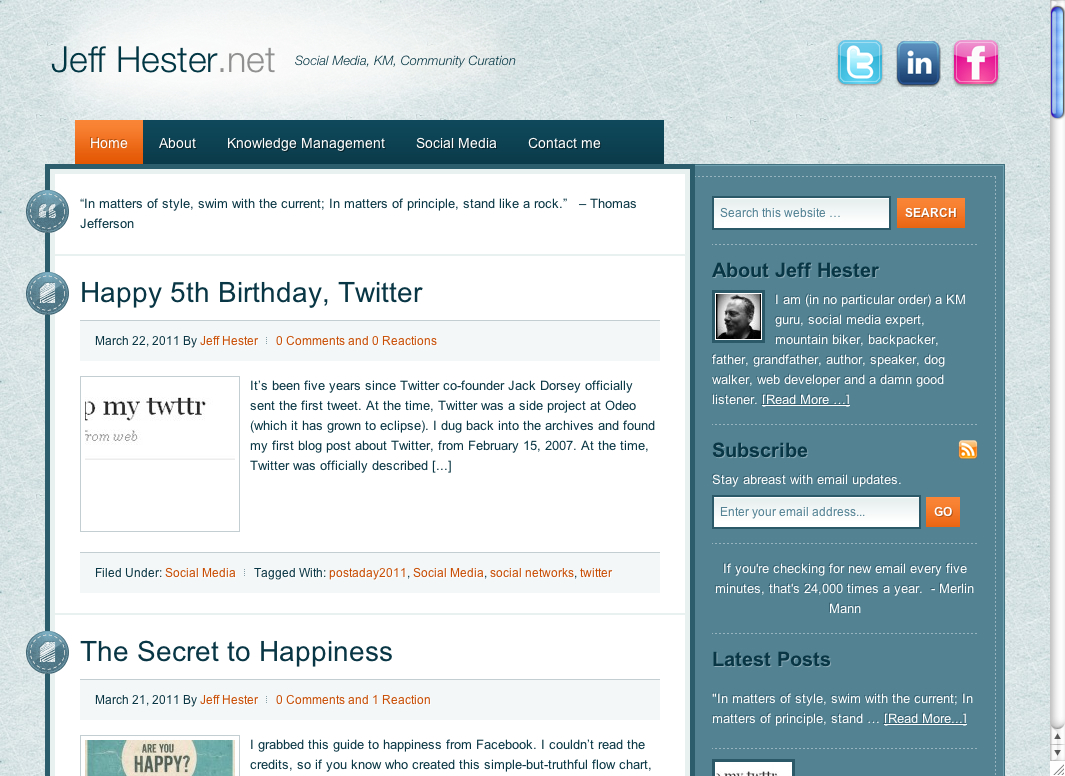
Here’s what Jeff Hester.net looks like on an iPad before:

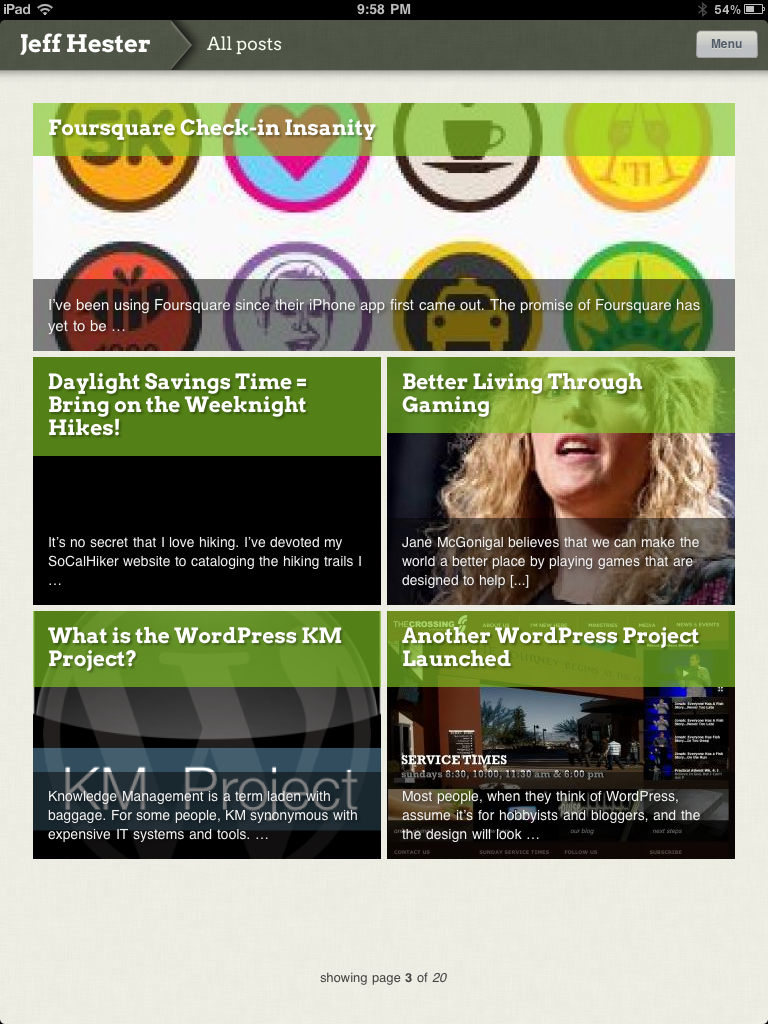
And after installing Onswipe:

A sample post viewed via Onswipe:

Onswipe Features and Gotchas

Onswipe is super easy to install and configure. Their website claims it provides “insanely easy tablet publishing” and I found that to be true. Once it’s setup, it just works. You can swipe to browse through the index, and Onswipe will detect the orientation of your iPad and automatically reformat things (portrait or landscape).

But there are a few caveats that might keep you from using Onswipe.

  • If you absolutely need access to widgets on the iPad, forget Onswipe. It provides a simplifed interface (much like an iPad app). Onswipe doesn’t support sidebars and widget areas.
  • Onswipe doesn’t support Facebook comments or other comment systems that don’t store comments in the WordPress database.
  • There is currently no way for the user to specify the “full” version of the website, if they so desire. It’s either on or off for everyone.
  • If you are signed into your WordPress admin console on your iPad (i.e. you checked “remember me”) the Onswipe interface won’t show until you sign out.
  • There is no way to browse tags; only categories are currently supported.

The Onswipe website considers this 1.0 release a “preview” and asks you to sign-up for email notification when they “officially” launch, but you don’t need to do that to download or use this plugin.

The Bottom Line

Is Onswipe worth trying? If you care about providing iPad users with a great experience, and your site primarily leverages posts vs. pages, you should definitely consider Onswipe. If you’re site is primarily page-driven (as many CMS-centric sites are) Onswipe is not for you.

At WordPress.com, they are already seeing about 750,000 daily page views from iPads, and that figure is growing. For that reason alone, Onswipe is worth a look.


Posted on 1 Comment

Post Formats and StudioPress Tapestry

StudioPress has released a new theme that takes advantage of WordPress 3.1 post types. They consider Tapestry a Tumblog style theme, but I see it as simply a traditional blog theme with the added plus of post types.

I’m not going to delve into what post types are right now, except to say that different kinds of posts can have different formats. A simple example is the quote post type. It doesn’t need a lot of the extra meta data that comes with a full blown post. You’ll see an example here.

I’m testing Tapestry here at www.jeffhester.net and will be experimenting with post types. Stay tuned…

Posted on 1 Comment

WordPress Project: Book Launch Video Blog

This project was launched in December 2010 to coincide with the publication of Diana Mercer’s new book Making Divorce Work. Diana is an attorney who specializes in divorce mediation. Her mediation firm Peace Talks already has an established website and identity. For this companion site to the book, Diana wanted something that carried some of the same colors, but with a fun, hip and much more casual vibe.

I creating the site using WordPress, starting with an existing theme that she had seen used by someone else at WordCamp LA, and customizing the design with the colors and feel she was after.

Check out Diana’s Making Divorce Work blog, and I think you’ll agree: her personality and sense of humor shine through the site and her video posts. And Diana has done an amazing job of consistently posting content.


Posted on 12 Comments

What is the WordPress KM Project?

Knowledge Management is a term laden with baggage. For some people, KM synonymous with expensive IT systems and tools. For others it conjures memories of failed initiatives from a time past. But for most people, KM is a concept that they really don’t get.

Not that they need to “get it.” The term itself was invented by academians and consultants conspiring to elevate their science. But when the rubber meets the road, KM is simply about sharing and leveraging knowledge intelligently. The typical knowledge worker isn’t usually familiar with the term knowledge management or even knowledge worker. They just know that they need to tap into knowledge and expertise to help them do their job.

And so, we KM professionals are tasked with providing a systematic approach to KM that doesn’t burden knowledge workers with learning a whole new language. Taxonomy, vocabulary, subject matter experts, communities of practice — all are misguided labels that serve the KM professionals (we know what we mean) but obfuscate the message to the engineer on a project.

We need to put the process into terms they already know and understand. In many ways, Enterprise 2.0 concepts come closer. Blogs, social networking, profiles and discussion forums are all part of our common experience of the web. And they all fit nicely into a community-centric approach to knowledge management.

I’ve said many times that KM is not about the tool. Successful KM is more about the processes and behaviors that drive collaboration, knowledge sharing and reuse. Show people how they benefit when they share their knowledge and it doesn’t matter what the tool is. As long as that tool doesn’t impede your ability to connect with knowledge and the people who have or need expertise, which tool is almost irrelevant. Not exactly the message that the big software vendors want you to hear, but it’s true.


Which got me thinking: if it’s not about the tool, why not choose some tools that are readily and freely available? Could this not make KM accessible to many more companies, and perhaps spawn a new era of extra-enterprise collaboration?

Thus was born The WordPress KM Project. The goal is to create a community-centric knowledge management platform that leverages freely available and easily deployed technology — WordPress.

WordPress is primarily considered blogging software, but it can be much more. A single WordPress installation can now support multiple sites or communities. Plugins such as the BuddyPress suite add discussion forums and extensible user profiles. And the core WordPress system is already well-suited for content creation and management.

What are the key requirements for the WordPress KM Project?

  • User Management – Each user must have a profile that can contain contact information as well as skills and expertise. This is important in establishing context and building trust among people who may not know each other.
  • Communities – The core management of knowledge and expertise is delegated to domain experts. People interested in that domain are the primary participants of these communities.
  • Enterprise scope – Although knowledge and expertise is delegate to communities, the partipants have access to the full breadth and depth of knowledge across all communities.
  • Search – For most people, this will be the primary method of retrieving needed knowledge or expertise. For that reason, search — by default — must cross community boundaries.
  • Discussion – The primary medium for ad hoc collaboration and knowledge sharing. Each community will have discussion forums centered around the subjects relating to their domain expertise.
  • Blogs – This could also be considered news, but carries the advantage of allowing community participation through comments.
  • Knowledge – This is experience codified. Explicit knowledge stored in web page or other electronic form.

The goal of the WordPress KM Project is to build a working prototype environment, and then share the results with the world. To do this well, I need your help.

Do you have a passion for KM, WordPress, enterprise systems or just contributing to the greater good? I want to hear from you. Get involved, share your ideas, and join the team.

Let’s begin. Start by leaving a comment below.