Posted on Leave a comment

The New Linkedin Profile: Love It or Hate It?

Back in October 2012, LinkedIn announced a redesigned profile page. They’ve been slowly rolling it out to users, and finally updated mine this week.

What’s new in the new profile design?

For starters, the interface has been refreshed, with sections clearly noted. And it features inline editing, meaning you can make changes right from your profile without switching to a separate “edit” view. See something that needs updating? You can change it right there.

Your recent activity is highlighted near the top of your profile. While this is useful to see if someone is actively interacting on LinkedIn, it will make me think twice before posting a link or liking an update.

There is a new visual representation of your network–a sort of simplified InMaps view–and you as you hover over other LinkedIn members, you’ll see a card pop-up with additional info about that person. Their goal is to stimulate interaction and engagement with your network.

What’s no longer there? 

There are some features, particularly third-party apps, that don’t show up anymore. I only used a couple of these; the TripIt widget and the Reading List. Not really critical.

Overall, I like the new design. It’s not going to rock your world, but it’s a nice update to an otherwise stodgy user interface. But what do you think? Let me know in the comments, and feel free to connect with me on LinkedIn.

jeff-hester-on-linkedin

Posted on 1 Comment

Things Real People Don’t Say About Advertising

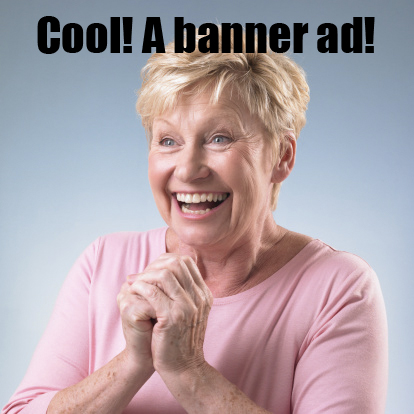
Things Real People Don’t Say About Advertising is a Tumblr-powered collection of cheesy stock photos poking fun at the world of advertising… and advertisers too-often disconnection with reality. It’s a breezy, easy site to scan, in much the same way as the Lolcats at I Can Has Cheezburger.

While it’s sure to make you smile, especially if you’ve been involved in advertising or even commercial web projects, TPDSAA has a very real point. Too often we miss the mark when trying to communicate. We spend too much time on minutiae, and make too many assumptions that “we” know what our audience wants because we think they are just like us.

We Are Not Our Audience

Whether “we” means an ad agency, design firm or an individual simply trying to stake their claim on the Internet, “we” are not the same as everyone else. In fact, everyone else is very different from us. We are too close to the subject to see it through the eyes of the average visitor.

Over and over I’ve heard anecdotes of people recruiting their mom as the ultimate usability tester. The assumption is, if mom gets it, everyone will. Honestly, this is not far from the truth. We need to interact. We need to be genuine. We need to ask — our visitors, employees, members or customers — what they really need and want. And then, we need to give it to them.

I’m not suggesting design by committee, or worse, design by community. There is still a need for vision and creativity. Our experience and knowledge can help create a user experience that delights. Doing so requires a combination of that know-how and a willingness to listen and adapt to genuinely serve the audience.

Check out TPDSAA. I guarantee you will find at least a few photos you’ll relate to. And if you’re in a position to influence user experience, think about how you can avoid ending up lampooned on TPDSAA.

Looking to improve user experience? Here’s two companies I recommend:

  • Adaptive Path provides a range of consulting services to help companies improve their user experience, as well as coordinating a series of events and conferences for user experience professionals.
  • Creative Good also provides consulting services for companies who want to improve the user experience, supplemented by councils — groups of peers sharing their knowledge and expertise. The annual GEL conference (Good Experience Live) draws a range of creatives in a format closer to TED than an typical conference.

Meantime, I’m thinking about how I can apply the humor of TPDSAA to the realm of knowledge management. Stay tuned…

Posted on Leave a comment

Help That Helps: Improving the User Experience

As a rule, a website should be self-explanatory; no help required. However there are cases where your customers (I prefer that to “users”) will need your help. Introducing new concepts; changing the interaction; and explaining a complex system are all opportunities to either serve your customer or leave them hanging.

In these cases, help should be readily available when you need it, and unobtrusive when you don’t.

Here are a couple of great examples of online help that really works.

When Facebook introduced their recent changes to the profile page, they offered a tour of the changes that highlighted each new feature without taking you away from your profile. This is awesome, because essentially the guide uses your own profile as an example rather than a generic “Joe Facebook.” The data and examples are all relevant to you because they are yours!

Xero.com is a cloud-based accounting system for business. Accounting is complex, and people tend to be a bit touchy about getting the numbers right, especially when it comes to their own money!

Xeno has done several things really well. They use a “welcome block” to put additional help right in front of new customers. They offer inline, contextual help that doesn’t take your focus from the current page. And they provide links to a more traditional, full-featured help or even live support when you need it.

Another nice touch? Note how the help is clearly identified throughout Xeno with the color orange. The customer will intuitively know when they are looking at help and when they are looking at part of their web app.

Have you seen or designed a great help system? Share it in the comments!

Posted on 6 Comments

Damnation

I was reading an interesting story about how Netflix (one of my favorite services) is going to start downloading rentals directly to set-top devices hooked to your TV. Great idea, but what really caught my eye was the quote from Reed Hastings, Netflix CEO and founder:

“It (the set-top device) is going to be very slick and easy,” said Reed Hastings, Netflix’s chief executive officer. “We want the TV experience to be very relaxing and not like visiting a Web site.”

What struck me about Hasting’s quote is how he casually damned all of the web in one swift stroke. Apparently, the web is neither “slick and easy” nor relaxing. Is it really that bad?