
Translation has long been a tough thing to do with any degree of accuracy. Remember “All your base are belong to us?”
When Google Translate was introduced on the web years ago, it was an impressive and useful tool — even if it didn’t do a perfect job. Well the tools have progressed. Google Translate on the web added the ability to not only read the translation, but hear it spoken.
Of course, the missing bit in all of this is mobility. When you’re traveling abroad and speak just enough to eek by, it’s helpful to have a phrase book or dictionary. Or it was. Now Google has effectively rendered all those dedicated translator devices, phrasebooks and dictionaries obsolete. All you need now is an iPhone (or Android… I’m told) and their Google Translate app.
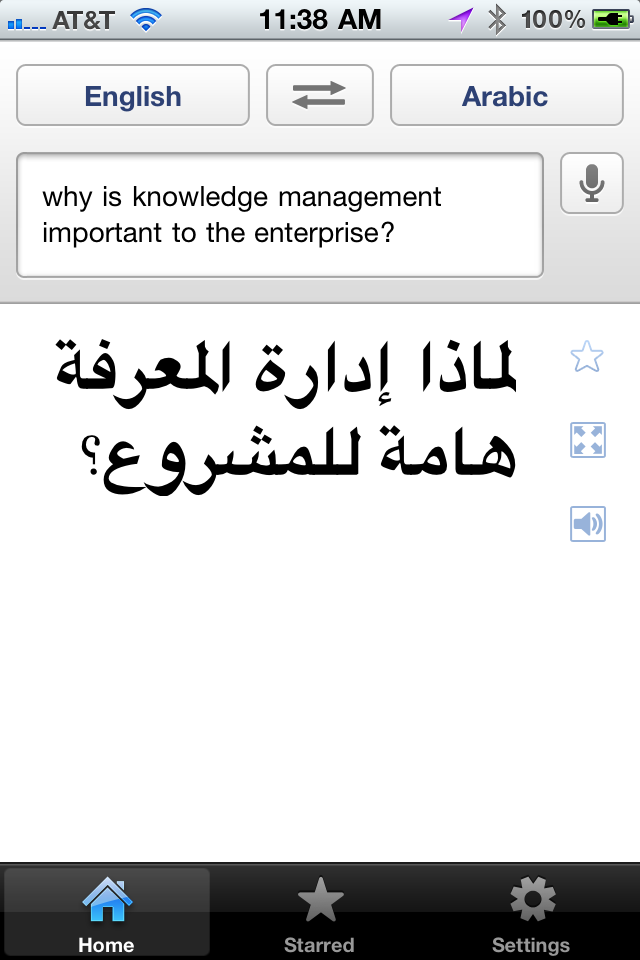
The new app offers several nice features. First, you don’t need to type. Just speak into the phone, select the language you want it translated to, and the app will show you the translated text. Google Translate on the iPhone supports voice input for 15 languages, translation into more than 50 languages, and you can hear the phrase spoken in 23 supported languages.
You can also hit a button to display the translated phrase full screen, to show to your taxi driver or waiter, for instance. And instead of spending a bundle of money on a dedicated translator device, you can get this app (it’s free) and use the savings on your trip!


There is one important caveat. The Google Translate requires an Internet connection. I tested it over both wifi and 3G, and it worked fine, including listening to the translated phrase in the target language. But this is becoming less and less of an issue. I’ve used my iPhone all over the world, from Chile to Abu Dhabi and throughout Europe with no problem.
Cette application va être utile quand je Voyage à Paris plus tard cette année!
 Google has done a great job of getting their other products (mail, calendar, even docs) iPhone enabled, but their translator was neglected for some reason — until