Posted on 23 Comments

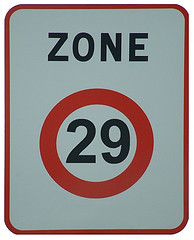
29 Posts in 29 Days

Click for the original Olibac image on Flickr
Photo credit: Olibac

On January 5, 2011,  I committed to writing a post a day for 365 days. After 29 days, I’m happy to report that I’m on track with 29 posts in 29 days. All it took was a little nudge from Scott Berkun and the other good folks at WordPress.

Just about one month into the routine, I’ve made a few observations that might be of use to anyone else considering a similar challenge.

  1. Writing a post a day takes discipline. In hindsight, I realized that I implied a post a day on this blog. That alone is a commitment (I already have a full-time career). And I promised “no fluff” — I want to write posts of the same quality that I like to read. Compounding the commitment are my work commitments and other websites, and you quickly see how a post a day is just the tip of the iceberg.
  2. Planning is essential, as I noted in post #17/365. I’m using the draft status to collect ideas and thoughts on articles I want to write, or to align publication with related events. I collect my thoughts over days and weeks, and this has greatly simplified the process of sitting down to actually write the finished article.
  3. Brainstorming helps, too! I tap into resources from Facebook and Twitter. I gain a lot of ideas from scanning my feeds on Flipboard or reading sites like The Daily Post which share topics and ideas for writing.
  4. Most of all, the support of the community helps keep you going! I have the good fortune to have a great girlfriend who inspires me (check out her blog), and a number of friends in the local WordPress and social media community here in Orange County who keep me challenged. Many thanks go out to Darin McClure, Holly Schwartz, Suki Beasla and Matthew Gallizzi. We all meet at SMMOC several times a month, and all have taking up the call to write one post a day. And we use Twitter every day, encouraging and challenging each other to keep up the cause.

The icing on the cake? I’m having fun! I have a lot to write about — much more than I have time to write. So far there is absolutely zero chance that the well will run dry. That may be either a blessing or a curse depending on your opinion of my stuff, but I’m having a good time, and more than a few people are taking the journey with me.

It’s ironic. I kicked off this year with a photo project called Project 365, where I shoot at least one photo a day for the entire year. I had heard of this before from a friend, but decided to jump in and give it a shot. There has been a synergistic relationship between the two projects. Sometimes my photo of the day will spawn an idea that I simply must write about, and sometimes the article will inspire a creative photo.

How about you? Are you taking on a post- or photo-a-day challenge? Maybe you have in the past? What has your experience been?

Posted on 1 Comment

What is… Flavors.me?

Anyone who’s been paying attention has seen the dearth of writing going on here lately. I’ve been experimenting with lifestream focused themes that let me feed the beast that is this blog in an automated, sound bite fashion using feeds from the various services I use on a regular basis; Last.fm, Facebook, Twitter, Foursquare, Netflix, YouTube, etc..

And the lifestream is precisely where Flavors.me excels. As they describe themselves, “Flavors.me allows anyone to create an elegant website using personal content from around the internet.”

I read (briefly) about Flavors.me in one of the feeds that I scan, but when I saw Bryan Harney tweeted about Flavor.me, I decided to check it out.

The service very simply and elegantly does what it sets out to do — creating a portal to your presence on various social networks. You can upload a background, tweak the colors and fonts and configure which services you want to connect to and share. There’s no direct interactivity, but in my view, that’s a good thing. If someone wants to comment on your Flickr photostream or retweet that clever quote, they can click through to the source service and do it there.

The best way to “get” Flavors.me is to poke around and try it, but if you’re timid about sharing, Flavors.me creator Jack Zerby has posted a terrific video overview.

Now go check out my Flavors.me site, and then give it a try!

Posted on Leave a comment

Flump lets you batch download Flickr photos

Flump screenshot

Flump is an Adobe AIR application that lets you download all the public photos from any Flickr user. Written by a couple of Adobe employees — Lee Brimelow and Mike Chambers — Flump makes it easy to backup your photos for archival purposes — useful if Flickr ever looses your stuff.

Personally, I have grown to trust Flickr for all my photos, and often I don’t even bother keeping local copies. This trust in “the cloud” sometimes worries me, especially when I hear the horror stories of people losing their Gmail inbox or worse. Flump fills the gap and makes it easy to create a nice clean backup to my local drive, where I can then burn it to DVD and file it away.

You can get Flump now at Google Code.

Thanks to Amit for the tip.

Posted on 4 Comments

Geotags, FlickrFly and Google Earth

Technology really is pretty cool.

I’ve extolled the virtues of Flickr and Google Earth before, but now a guy by the name of Rob Roy has linked the two together with FlickrFly. FlickrFly adds a nifty little “Fly to this location” link to your properly geotagged photo. Clicking the link (assuming you’ve installed Google Earth), will take you around the globe and zoom you in on that spot on the big blue ball we live on.

If you’d like to check it out, grab a free copy of Google Earth and click one of the “Fly to…” links to see Sacre Coeur, Place Vendome, Thousand Island Lake in the Minarets (really cool with terrain turned on), or the Golden Gate bridge.

Adding Geotags
If you use Flickr (and why shouldn’t you… it’s free!), it’s now even easier to add geotags to your photos. There’s a new Greasemonkey script for Firefox called GMiF that puts the power of Google Maps right into Flickr. Makes it really, really easy to point-and-click to tag your photos with the correct latitude and longitude information.

For more on geotagging, check out the Geotagging Flickr group.