Posted on Leave a comment

30 Days of Creativity: Day 1

National Trails Day

My first creation for the 30 Days of Creativity project was simple, but it was a busy day, what with WordCamp OC and the Mile…Mile and a Half premiere. I started with a photo that I took on our Bald Mountain hike at Sugarloaf Ridge State Park in Sonoma, applied some text reminding everyone that June 1st is National Trails Day, and softened it in Instagram. Done.

Posted on 3 Comments

Project 365: Day Ninety-Nine

On January 1, 2011 I began what some of my photographer friends know as Project 365. It’s a commitment to shoot a photo every day for an entire year. Today marks Day 99, and I realized at 9:45pm that I hadn’t taken a photo. So I improvised a quick shot with my iPhone and gussied it up with some Easter eggs (timely, no?). Check out today’s wasted entry, let me know how I’m doing so far, and if you have any ideas or special requests, leave a comment.

Here are the first 99 photos:

Posted on 9 Comments

Favorite iPhone Apps for Photography

I’ve always loved photography. When I was younger, I used a Konica SLR (even lugging that heavy thing over 200 miles on the John Muir Trail back in 1980). When digital cameras appeared on the scene, I quickly dove in. The ability to shoot… and shoot… and shoot as many photos as I wanted without worrying about film or developing costs blew my mind.

For years, I favored Canon’s compact point-and-shoot line. They are fast and produce great shots. This is exactly what I used last year when I hiked the John Muir Trail, and it served me well.

But more and more, I find myself using my iPhone for photography. It’s convenient (I always have my phone nearby) and coupled with the wonderful photo apps for the iPhone, it’s a blast! The apps encourage experimentation and photographic “play” — which is right up my alley.

Of course, one of the problems with apps is that there are so damn many of them. How do you find the good ones? And so, I present to you my list — the good ones — the iPhone photography apps worth getting.

Instagram

Instagram is a pretty basic app, but it’s so damned fun to play with! You can snap a photo “live” with the app or retrieve one from your photo library. Instagram will ask you to scale and crop it to a square format. That’s right, all Instagram-generated images are square. You can then apply any of a number of old school film-like effects that will make your photo look like a faded old polaroid or a Kodachrome print from the ’70s. Check out a few of my Instagram photos to get an idea of what you can do with it.

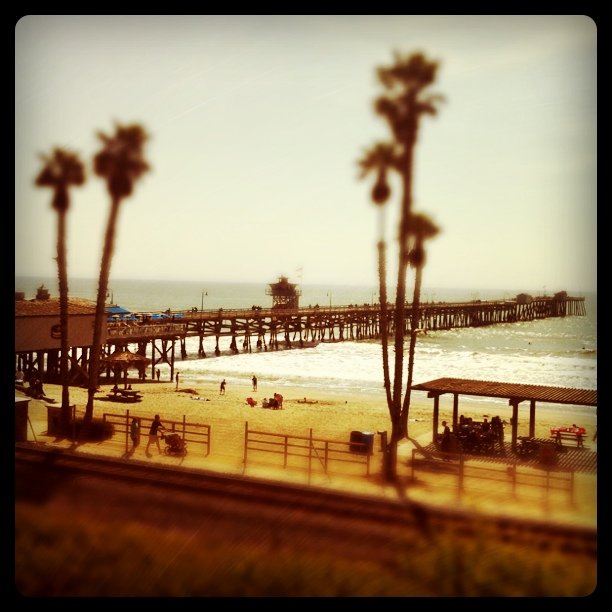
The latest version adds the ability to apply an effective tilt-shift effect for creating “miniature” scenes. But where Instagram really shines is in the social aspect. You can create friends (importing from Facebook or Twitter) and view their Instagram “streams” with likes and comments much like Facebook. And you can share your Instagram creations easily. Once you configure it, with one click you can upload to Twitter, Facebook, Foursquare, Flickr, and other services.

Instagram is currently my favorite iPhone photo app, and well worth the price (FREE!).  Don’t think, just get Instagram.

Slow Shutter Cam

Slow Shutter Cam is a recent addition to my iPhone photo app toolkit, but WOW — what results! It allows you to create those really cool looking slow shutter images that normally you’d need a much fancier camera to create. You’ll need a tripod for decent results (I like the GorillaMobile for the iPhone), but it’s a lot of fun.

This shot isn’t the best example, but it was one of my first creations with Slow Shutter Cam. This is actually the local train passing by. Interesting that it captured the light but the train itself became essentially “invisible.”

This app does a great job of capturing night scenes with traffic passing by, or running water, or any number of special photographic effects where you want to capture the sense of movement. Fun stuff. It’s $0.99, and worth it. Get Slow Shutter Cam.

Pro HDR

HDR effects are easily achieved on the iPhone with this great app. It takes two photos, so it works best with a tripod and a stationary subject. But the results can be stunning. Get Pro HDR; it’s only $1.99.

Here’s an example I created with Pro HDR:

AutoStitch

The forth and final must-have photo app on my list is AutoStitch. This let’s you create panoramic images with remarkable ease. They aren’t always perfect, but they are damned good considering how easy it is. I know; I’ve used a number of desktop apps on both Windows and Mac and spent hours generating panoramas. This does the same thing, on your iPhone, in just a few minutes.

Basically you take a series of overlapping photos, turning a few degrees between each shot. Then in AutoStitch, you drag the photos into a pool and let it rip. A few minutes later, you have a panorama! AutoStitch is also just $1.99. Get it!

There you have it — four great photography apps for your iPhone. If you haven’t had a chance to experiment with any photo apps, these are a good place to start. And if you know of some other apps that I should check, leave a comment and let me know.


Posted on Leave a comment

Creating Time-Lapse Videos on an iPhone

Time lapse videos have always fascinated me. Maybe it’s the illusion of condensing time to a higher data density. All I know is I’m not alone. Vimeo has an entire channel devoted to time-lapse videos, such as this:

I honestly don’t know how the pros do it, but thanks to the ReelMoments iPhone app, you can join in the fun. Here’s an example that I shot this evening. I used my GorillaMobile iPhone 4 tripod (which rocks), pointed the camera out my living room window and let it run.

You can take this a step further using iMovie for the iPhone to add in a soundtrack, like I did for this sunset at Doheny beach.

Reel Moments is $1.99; a small price for the capability.

One thing I’d still like to investigate is how to move the camera as well. I figure I could rig something up with servos. Any suggestions?


Posted on Leave a comment

Google Teleporter Allows Man to Revisit Childhood

Google Teleporter isn’t a real product…yet! But I was able to use Google Streetview to take me back to a childhood home, and it felt pretty amazing. Sure, the Streetview feature isn’t anything new, but once in a while I’m surprised by it’s reach and ability to intersect with my own life.

Here’s an example

I’ve been slowly working my way through a huge box of old photos from my grandma’s house, scanning a few each weekend and posting them on a family photo archive. I’m using MailChimp (free up to 2,000 subscribers) to notify subscribed family members and friends when fresh scans go online, and they help fill in the details; places, people, dates and even the backstory. It’s been a wonderful way to honor my grandparents and keep their memory alive.

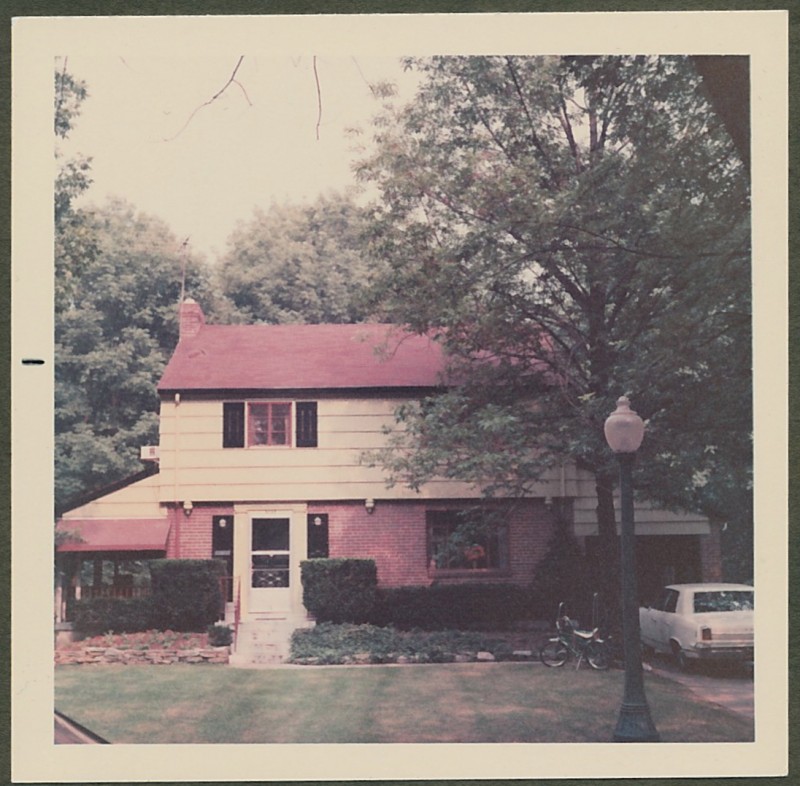
When I was in elementary school, I lived on a tree-lined street called Middlebrook Ave. in Cincinnati, Ohio. One of the scans last weekend was of that very house.

That’s my first bike there on the right. Metallic green with a banana seat, a sissy bar and flared chrome fenders. Sweet.

I have a lot of fond memories of this home. My best friend — Howard Lee — lived in the house next door. Every summer, all the neighbors held a huge block party with grilled hot dogs, burgers, sodas and games. And the neighbors even put up a volleyball net across the street for impromptu games during the summer.

I also remember going to the YMCA on Saturday mornings, taking swimming lessons (hated them) and a whole range of other classes. They had a BB gun shooting range, archery, trampolines, a chemistry class (Kids with bunsen burners? Really?) and my personal favorite, the magic class. Yes, the class was led by a magician and every week he’d teach us a new trick. I parlayed that newfound skill into an obsession, and was performing at birthday parties, school and even the fair. But that’s a story for another day…

Back to the house on Middlebrook, and Google Teleporter –er– Street View. I was wondering if the house was even still there. Just for kicks, I pulled up the house in Google Street View. Here’s what it looks like today:

The bike is gone, but the house looks pretty much the same. Ah, the magic of technology!

Posted on 3 Comments

Gaming, Circa 1974

As long as I can remember, this simply designed wooden game sat on the coffee table in my grandparents living room. Growing up, I loved playing the game with my grandpa and grandma. The gameplay was simple. You spun the top, hoping it knocked the eight wooden balls into the eight divots. Each divot had a point value. Once the top stopped, you added up your score. Your opponent took their turn, and you repeated until you were tired of playing or dinner time arrived — whichever came first. Dinner usually won.

This was all long before the age of Mortal Kombat, World of Warcraft and even before the Internet (as we know it today). I didn’t care (not that I knew better). The game was just fun!

My grandparents have both since passed on, and the game now sits on my coffee table, in my living room. And the game still makes me smile. Partly, it’s the memories that it brings me. But a big part is the simple joy of a well-designed game. No batteries required.

Sometimes in life, it’s the simple things that bring us joy.

I shot these photos with my iPhone 4 mounted on a GorillaMobile tripod. To capture the motion of the spinning top, I used the Slow Shutter Cam app. I created the collage with Diptic and stylized it to give it a “70’s” look and uploaded with Instagram. I’m really pleased with the results.

Sometimes in life, it’s the complex things that bring us joy.